
What is the 4:3 format
The 4:3 format refers to the aspect ratio; that is, the proportion that exists between the height and the width of the image.
4:3 is a type of aspect ratio that defines itself: the proportion it refers to is 4 units of height by 3 of width.
If we divide 4 by 3 we get 1.33. This number tells us that, to have an equivalent aspect ratio, dividing it should give 1.33 as a result — for example 8:6.
An almost-rectangular proportion, which exists and has presence thanks to the sensors of old cinematographic cameras. These cameras were equipped with 35 mm full-frame sensors, which produces that aspect ratio when capturing the image.
How it came about
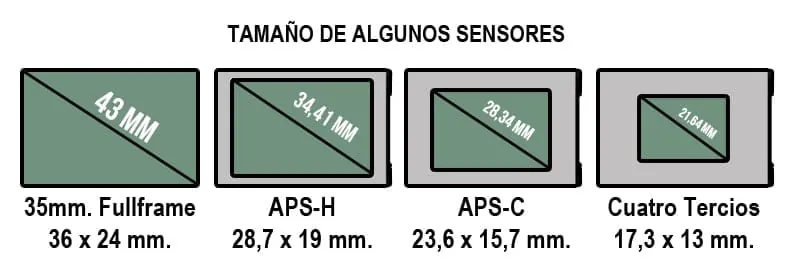
The 4:3 format arose with the appearance of cinematographic cameras and their 35 mm sensor.
It was William Kennedy Dickson who, after his attempts in Thomas Edison’s laboratory, designed a light-sensitive film that could be projected with a kinetoscope.
This film had dimensions of 2.4 cm wide and 1.8 cm tall, which corresponds to the 4:3 or 1.33:1 format.
This design was not commercialised until 1909 by the Motion Picture Patent Company, which made the 4:3 format the cinematographic standard. This universalisation of the format within cinema meant that, years later, it also became the universal format for televisions.
The 4:3 format in photography
The 4:3 format in photography is one of the most used. It is very important to keep the format and the aspect ratio in mind when taking a photograph. Framing and development (in the case of analogue photography) depend directly on them.
The 4:3 format in photography offers little dynamic framing; this is because this aspect ratio has no dominant horizontality. The dynamism of an image is directly conditioned by the dominance of its horizontal axis.
Other photographic formats with little or no dominance of the horizontal axis are 5:4, 3:2 and 1:1 (completely square).
The most used photographic formats with horizontal dominance are 16:9 and 2:1, and the most used vertical formats are 2:3 and 3:4.
4:3 format in pixels
Converting the aspect ratio to pixels corresponds to the resolution. Resolution refers to the number of pixels that make up an image. That is, the conversion to pixels is relative to the screen resolution.
In general terms we would say that the 4:3 format corresponds to 1024 × 768 pixels, but as we have mentioned this is relative, since the aspect ratio is a proportion, not a specific number.
| Resolution | Pixels |
|---|---|
| 1600 × 1200 (UXGA) | 1600 × 1200 |
| 1440 × 1080 | 1440 × 1080 |
| 1024 × 768 (XGA) | 1024 × 768 |
| 800 × 600 (SVGA) | 800 × 600 |
| 640 × 480 (VGA) | 640 × 480 |
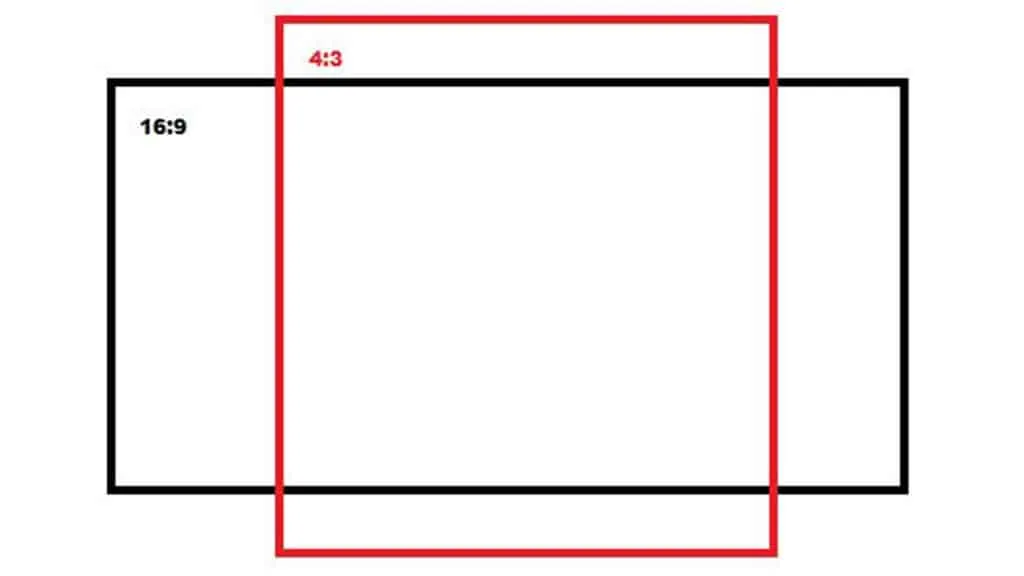
Advantages of 4:3 over 16:9
Each format, as we have mentioned before, has a different aspect ratio. This means that the framing and the characteristics of the image differ from one another.
The difference in framing means that certain formats are more convenient for certain jobs.
The 4:3 format is an almost-rectangular format, which means its greatest advantages come when framing vertically. That is, it is a convenient format for cowboy shots and medium shots.
It is an aspect ratio with little image dynamism due to its verticality and its lack of horizontal dominance.
Changing screen format from 4:3 to 16:9
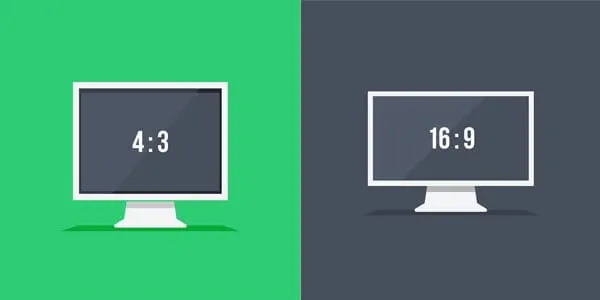
To change the aspect ratio of a 4:3 format to 16:9 you need a video editor; you can use either an online video editor or one of the free video editors we recommend.
If you use an online video editor, all you have to do is:
- Import the video whose format you want to change from 4:3 to 16:9
- Change the video settings to a resolution with 16:9 format
- Export the video and save it to your computer.
However, if you use one of the programs we recommend, you will have to follow a similar process but without needing to upload your video to any platform.
At INTI we recommend using one of the free video editors, since you will keep the privacy and rights of your video. Besides, having such a program makes it more likely that curiosity strikes and you try out new exercises.